Buying guide Updated 2026
The Best Smart Locks of 2026
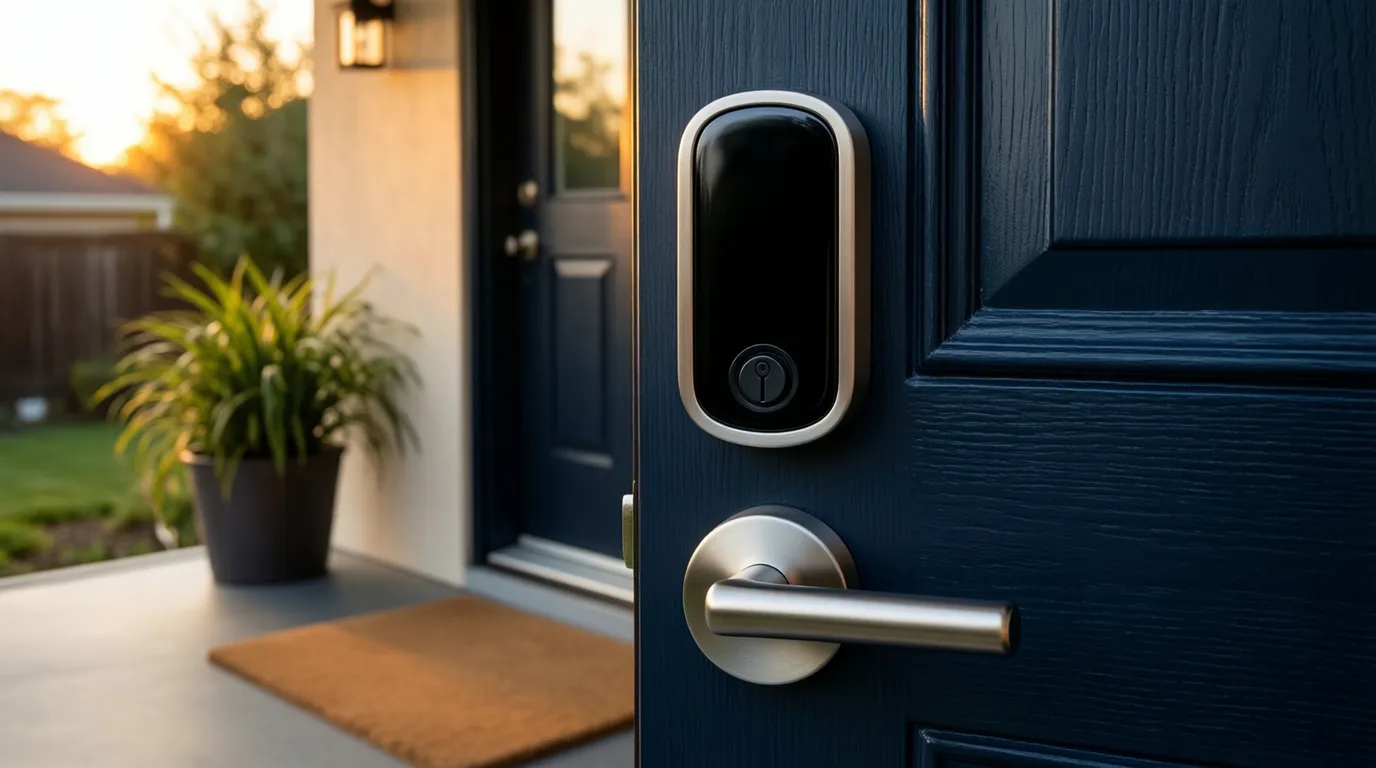
A good smart lock should be easy to install, hard to defeat, and reliable enough that you stop thinking about it. After comparing the locks that consistently top expert testing in 2026, these are the ones worth buying — whether you own, rent, or live in an all-Apple house. Prices below were checked in June 2026 and vary by finish and configuration.
At a glance — how the picks compare (prices verified June 2026)
| Lock | Best for | Approx. price | Install & key |
|---|---|---|---|
| Yale Assure Lock 2 Check price | Overall | $160–$260 | New deadbolt · keyed or keyless |
| Wyze Auto-Lock Bolt v2 Check price | Value | ~$80 | New deadbolt · keyless |
| Yale Approach Check price | Renters | ~$129 | Keeps your lock & key |
| Schlage Encode Plus Check price | Apple homes | $260–$320 | New deadbolt · keyed |
| Ultraloq Bolt Fingerprint Check price | Fingerprint | $175–$200 | New deadbolt · keyless + backup key |
How to choose a smart lock
Nearly every smart lock here fits a standard deadbolt with no drilling, so the real question isn't 'retrofit or not.' It's two things. First, do you want to keep your existing exterior lock and key — an interior-only conversion like the Yale Approach that swaps just the inside thumb-turn — or are you fine installing a whole new deadbolt? Second, do you want a physical key as backup, or a fully keyless lock that opens by fingerprint or code?
- Connectivity: some locks have Wi-Fi built in for remote control; others use Bluetooth and need a separate bridge or hub for access from away.
- Ecosystem: if your home runs on Apple, look for Apple Home Key, which lets you unlock by tapping your iPhone or Apple Watch.
- Fingerprint: a reader is the fastest everyday entry, but adds cost — decide if you'll actually use it.
- Power: most run on AA batteries for several months to a year; check the battery type and expected life before you buy.
Renting?
Pick an interior-only conversion like the Yale Approach. It mounts on the inside of your existing deadbolt, so the exterior is unchanged and your landlord's key still works — nothing to swap and easy to take with you. The other picks here replace the whole deadbolt, which a landlord may not allow.
The picks

1. Yale Assure Lock 2
A clean, reliable keypad deadbolt sold in several configurations — Bluetooth or built-in Wi-Fi, touchscreen or push-button, and a fingerprint or Apple Home Key version. That range lets most homeowners buy exactly the features they want, and it's stocked nearly everywhere.
Pros
- Wide range of configurations
- Built-in Wi-Fi and Apple Home Key available
- Slim design, broad retailer availability
Cons
- The configuration sprawl is confusing
- Wi-Fi + Home Key version runs toward the top of the range

2. Wyze Auto-Lock Bolt v2
A genuine bargain that punches above its price: built-in Wi-Fi and a fast fingerprint reader on a full keyless deadbolt that still fits a standard door. PCWorld named it an Editors' Choice for value.
Pros
- Built-in Wi-Fi at a budget price
- Fingerprint and keypad entry
- Auto-lock
Cons
- Keyless — no physical key backup
- Replaces the whole deadbolt (not a keep-your-key option for renters)
- No Matter or Apple Home Key
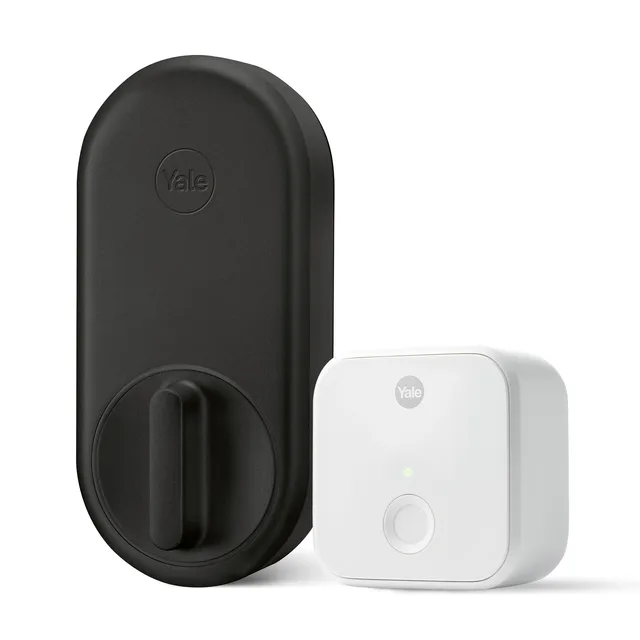
Image: Yale
3. Yale Approach
Yale's first-party retrofit lock and the natural successor to the older August. It mounts over the inside of your deadbolt in about ten minutes, keeps your exterior hardware and key, and comes from a legacy lock brand. Add the wireless keypad if you want code entry.
Pros
- True retrofit — keeps your key
- Quick, tool-light install
- Trusted lock brand
Cons
- Remote access needs the Yale Connect Wi-Fi bridge
- Keypad and bridge are separate purchases

4. Schlage Encode Plus
Supports Apple Home Key, so you can add a digital key to your Apple Wallet and tap your iPhone or Apple Watch to unlock. Built on Schlage's well-regarded hardware with a Grade AAA security rating and built-in Wi-Fi.
Pros
- Apple Home Key tap-to-unlock
- Highest residential security grade (AAA)
- Built-in Wi-Fi, no hub needed
Cons
- Among the priciest picks
- No fingerprint reader; no Matter support
5. Ultraloq Bolt Fingerprint
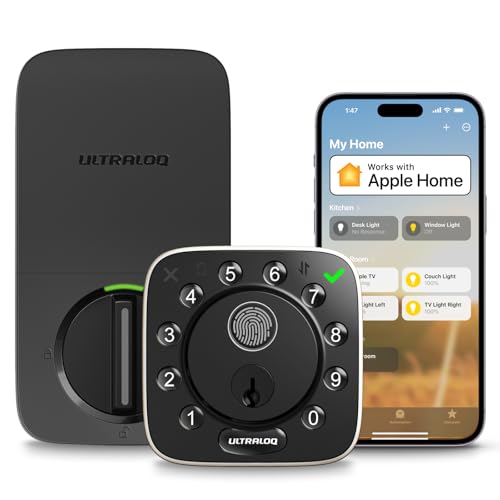
A fast, accurate fingerprint reader on a full keypad deadbolt. Sold in a few variants — a built-in Wi-Fi / Apple Home edition and a Matter-over-Thread edition — so check which one you're buying before you order.
Pros
- Quick, reliable fingerprint unlock
- Physical backup key included
- Wi-Fi and Matter editions available
Cons
- Confusing lineup of similar SKUs
- Some editions need a separate bridge for Wi-Fi
Our pick: Yale Assure Lock 2
For most people the Yale Assure Lock 2 is the right buy — pick the configuration that matches your home and budget. Renters who need to keep their existing lock should choose the interior-only Yale Approach; if you're free to swap the deadbolt, the Wyze Auto-Lock Bolt v2 is the best value (note it's keyless). Apple households get the most from the Schlage Encode Plus, and fingerprint fans should look at the Ultraloq Bolt Fingerprint.
We may earn a commission on qualifying purchases made through links on this page, at no extra cost to you. It never affects which product we recommend. Learn more.
Product prices and availability are accurate as of the date/time indicated and are subject to change. Any price and availability information displayed on Amazon.com at the time of purchase will apply to the purchase of this product. Certain content that appears on this site comes from Amazon. This content is provided ‘as is’ and is subject to change or removal at any time.
Frequently asked questions
- Do I need a locksmith to install a smart lock?
- Usually not. Most consumer smart locks are designed for DIY on a standard door with an existing deadbolt bore and install in 20–30 minutes. Hire a locksmith or handyman only if your door needs drilling or the fit is off.
- What's the difference between an interior-only lock and a new smart deadbolt?
- An interior-only conversion (like the Yale Approach) mounts over the inside of your existing deadbolt and keeps your current key and exterior hardware — best for renters. A new smart deadbolt (like the Yale Assure Lock 2, Wyze Auto-Lock Bolt v2, or Schlage Encode Plus) replaces the whole lock; some keep a physical key and some are fully keyless. Both types fit a standard door without drilling.
- Will a smart lock work if my Wi-Fi goes down?
- Yes. The lock itself runs locally over Bluetooth, so the keypad, fingerprint, and physical key (if equipped) keep working. You only lose remote control from away until Wi-Fi returns.
Related
Sources
- Bob Vila – Best Smart Locks of 2026
- Consumer Reports – Top smart locks of 2026
- PCWorld – Wyze Lock Bolt v2 review (Editors' Choice)
- Yale Home – Assure Lock 2
- Tom's Guide – Yale Approach review
- Schlage – Encode Plus Smart Deadbolt
- Ultraloq – Bolt Fingerprint
Specs and prices are compiled from the sources above and current as of the update date. Availability and pricing change — confirm on the retailer page before buying.