1999 Dodge Dakota Key Fob Programming
Updated 2026 Programming, battery & replacement fob
You can program a 1999 Dodge Dakota key fob yourself in a few minutes using a working key or remote, no dealer visit needed. Follow the steps below, then check the battery and the correct replacement fob (with FCC ID and part number) if you need a new one.
Remote / key fob programming
Professional programming required
This remote can't be programmed with a do-it-yourself procedure. The vehicle needs a diagnostic tool connected to its OBD port to pair a new remote, so a replacement has to be set up by an automotive locksmith or a dealer.
Order the correct replacement remote below — match the FCC ID on your current fob first — then have a local automotive locksmith or the dealer program it to your vehicle.
Key programming
Professional programming required
We don't have verified do-it-yourself programming steps for this exact vehicle. A new key is best programmed by an automotive locksmith or dealer.
Order the correct replacement key/fob below (match the FCC ID on your current one), then have a locksmith or dealer cut and program it.
Replacement key fobs
Find your key type below, then match the FCC ID printed on the back of your existing fob — or, for a plain transponder key, the blank code — to be sure of the right part.
Remote
A separate key fob that only handles locking and unlocking.
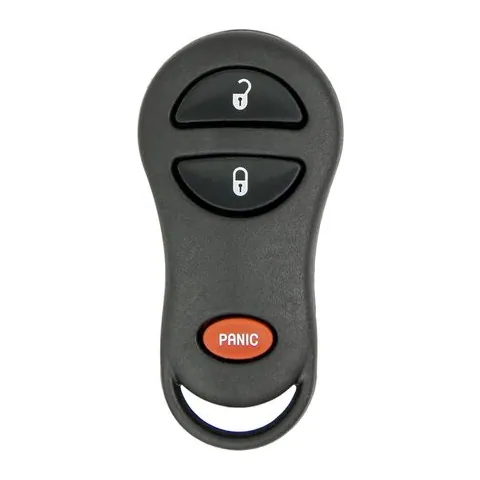
3-button Remote
Find on Amazon- FCC ID
- GQ43VT9T
- OE part #
- 04686366, 4686366, 5014736AA, 56036859AC, 56036859AD, 56036859AE +3 more
- Frequency
- 315 MHz
Transponder Key
4 versionsA cut metal key with a chip in the head. No buttons.
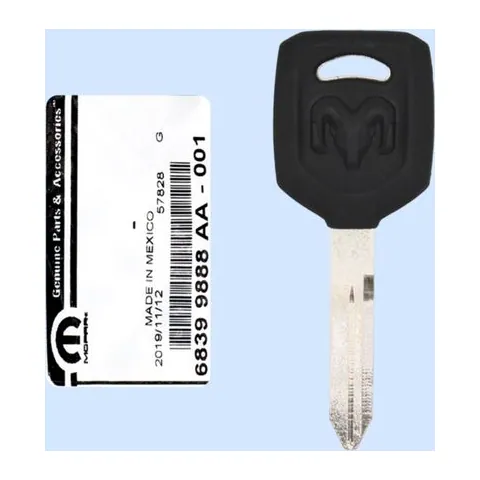
Transponder Key
Find on Amazon- Key blank
- Y159-P, Y159P
- OE part #
- 68399888AA
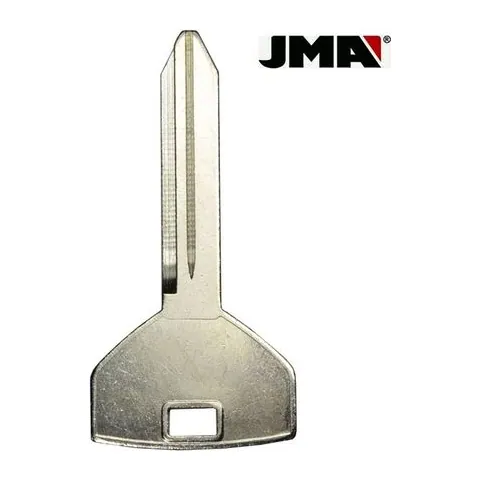
Transponder Key
Find on Amazon- Key blank
- CHR-14E
- OE part #
- CHR-14, P1794, Y157
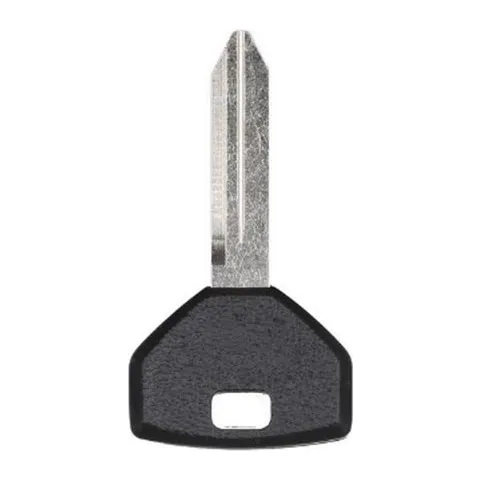
Transponder Key
Find on Amazon- Key blank
- BY157-P, Y157-P, Y157P
- OE part #
- BY157-P, Y157-P, Y157P
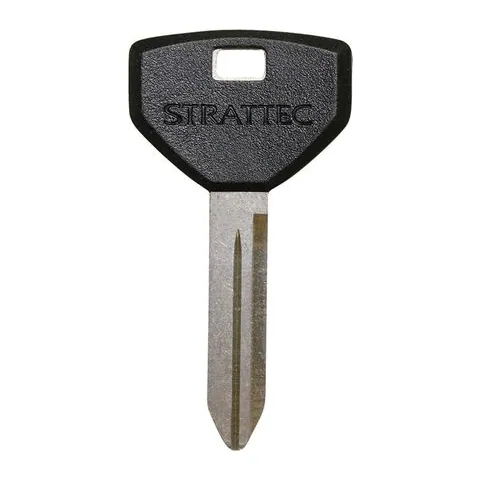
Transponder Key
Find on Amazon- Key blank
- Y157
- OE part #
- Y157
Photos show the OEM part for each number listed. Aftermarket replacements sold online are often slightly different in appearance — the FCC ID, not the shape, is what determines whether a fob will work with your car.
1999 Dodge Dakota key fob battery
Your 1999 Dodge Dakota key fob uses a CR2016 3V lithium coin cell. A fresh one typically lasts 3–5 years.
Find CR2016 batteries on AmazonHow to replace the battery
- 1 Find the seam or small slot on the edge of the remote.
- 2 Twist a coin or small flathead in the slot to split the case open.
- 3 Remove the old coin cell and note the + side.
- 4 Fit the new battery with the + side matching, then close the case.
- 5 Press a button to confirm the LED lights, then test at the car.
Battery tips
- Use a fresh, name-brand 3V lithium cell — bargain cells drain quickly.
- Try not to touch both faces of the new battery; skin oils shorten its life.
- If the remote still doesn't work after a new battery, it may need re-syncing or programming.
We may earn a commission on qualifying purchases made through links on this page, at no extra cost to you. It never affects which product we recommend. Learn more.
Rather hire a pro?
See what it actually costs, broken out by dealer, locksmith, and DIY: