2016 Ford Edge Key Fob Programming
Updated 2026 Programming, battery & replacement fob
You can program a 2016 Ford Edge key fob yourself in a few minutes using a working key or remote, no dealer visit needed. Follow the steps below, then check the battery and the correct replacement fob (with FCC ID and part number) if you need a new one.
If your Ford has push-button start, you can add a new smart key yourself when you already have two working smart keys. You'll have 30 seconds to complete the sequence, so read it through first. Up to 4 smart keys total.
Before you start
- Two already-programmed, working smart keys
- Your new, unprogrammed smart key
- Engine off and all doors closed (keep them closed throughout)
- 1Place an existing programmed smart key in the backup slot in the center console — key ring at the top, buttons facing the rear.
- 2Wait 5 seconds, then press START/STOP without starting the engine.
- 3Remove that smart key from the backup slot.
- 4Within 10 seconds, place the second programmed smart key in the backup slot and press START/STOP without starting the engine.
- 5Wait 5 seconds, then press START/STOP again without starting the engine.
- 6Remove the second smart key from the backup slot.
- 7Wait 5 seconds, place the new unprogrammed smart key in the backup slot, and press START/STOP without starting the engine. Programming is complete.
- 8To add another new key, repeat the last two steps.
Tips & troubleshooting
- Maximum of four smart keys per vehicle.
- If it doesn't work, wait 10 seconds and repeat from step 1.
- No two working smart keys? A dealer or automotive locksmith must program the spare.
Replacement key fobs
Find your key type below, then match the FCC ID printed on the back of your existing fob — or, for a plain transponder key, the blank code — to be sure of the right part.
Proximity Key
4 versionsStays in your pocket — the car unlocks and starts without inserting a key.
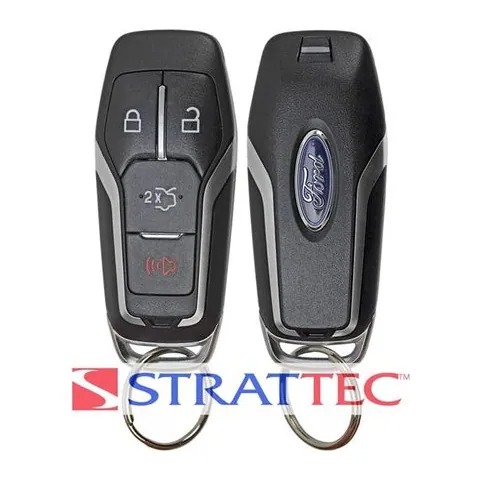
4-button Proximity Key
Find on Amazon- FCC ID
- M3N-A2C31243800, M3N-A2C31243801
- OE part #
- 164-R8109, 164-R8120, 164-R8139, 164-R8143, 5926060, 5926063 +3 more
- Frequency
- 315 MHz
- Chip
- NXP HITAG-PRO ID49 128 BIT
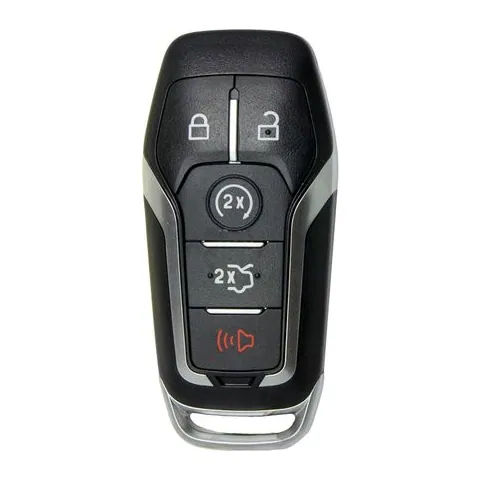
5-button Proximity Key
Find on Amazon- FCC ID
- M3N-A2C31243300
- OE part #
- 164-R7989, 164-R7991, 164-R8106, 164-R8119, 5923896, 5923898 +6 more
- Frequency
- 902 MHz
- Chip
- NXP HITAG-PRO ID49 128-BIT
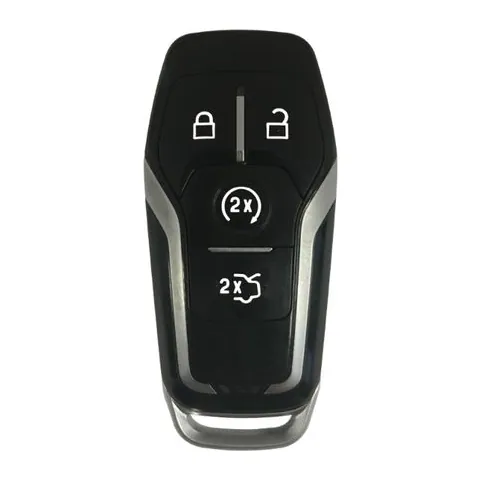
4-button Proximity Key
Find on Amazon- FCC ID
- M3N-A2C31227300
- OE part #
- 164-R7988, 5923895
- Frequency
- 868 MHz
- Chip
- NXP HITAG-PRO ID49 128 BIT
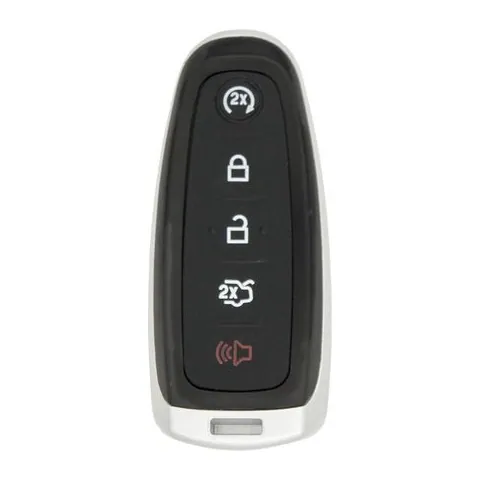
4-button Proximity Key
Find on Amazon- FCC ID
- M3N-5WY8609, M3N5WY8609, M3N5WY8610
- OE part #
- 164-R8091, 5921285
- Frequency
- 315 MHz
Transponder Key
2 versionsA cut metal key with a chip in the head. No buttons.
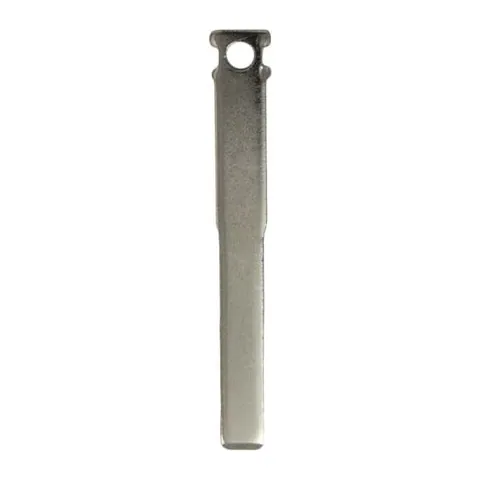
Transponder Key
Find on Amazon- Key blank
- BFD40-I, N5F-A08TAA, N5F-A08TDA
- OE part #
- 164-R7978, 5925267, FD40, HU101, HU101T
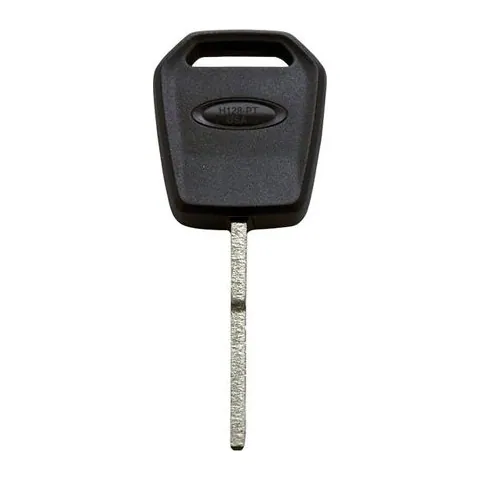
Transponder Key
Find on Amazon- Key blank
- IAX00012124
- OE part #
- H128-PT, H128PT
- Chip
- HITAG PRO 128-BIT
Photos show the OEM part for each number listed. Aftermarket replacements sold online are often slightly different in appearance — the FCC ID, not the shape, is what determines whether a fob will work with your car.
2016 Ford Edge key fob battery
Your 2016 Ford Edge key fob uses a CR2025 3V lithium coin cell. A fresh one typically lasts 3–5 years.
Find CR2025 batteries on AmazonHow to replace the battery
- 1 Slide the release latch and pull the metal emergency key out of the fob.
- 2 Use that key (or a coin) to pry the two halves apart at the seam.
- 3 Lift out the old coin cell — note which side faces up.
- 4 Drop in the new battery the same way (printed + side usually faces the back cover).
- 5 Press the case back together until it clicks, then test lock/unlock and push-to-start.
Battery tips
- Use a fresh, name-brand 3V lithium cell — bargain cells drain quickly.
- Even with a dead fob battery you can usually still start the car by holding the fob against the start button — check your owner's manual.
- If the fob still won't work after a new battery, it may need re-syncing or programming.
We may earn a commission on qualifying purchases made through links on this page, at no extra cost to you. It never affects which product we recommend. Learn more.
Rather hire a pro?
See what it actually costs, broken out by dealer, locksmith, and DIY: