2002 Honda CR-V Key Fob Programming
Updated 2026 Programming, battery & replacement fob
You can program a 2002 Honda CR-V key fob yourself in a few minutes using a working key or remote, no dealer visit needed. Follow the steps below, then check the battery and the correct replacement fob (with FCC ID and part number) if you need a new one.
Remote / key fob programming
You can program Honda keyless remotes yourself by cycling the ignition. This erases all current remotes, so reprogram every remote you use (up to 3). Do each step within 5 seconds of the last, or the car drops out of programming mode.
Before you start
- Every remote you want to program (up to 3)
- Make sure all doors are unlocked
- 1Turn the ignition to ON (II) and press LOCK or UNLOCK on any remote (an unprogrammed one is fine).
- 2Turn the ignition back to ACCESSORY (I) or LOCK (0).
- 3Repeat that pair — ON then press, then back to ACC/LOCK — three more times (four times total). On the last one, the door locks cycle to confirm programming mode.
- 4With the locks cycling confirmed, press LOCK or UNLOCK on each remote you want to program. The locks cycle after each to confirm it was accepted.
- 5Turn the ignition to LOCK (0) to exit programming mode, then test the remotes.
Tips & troubleshooting
- Each step must be done within 5 seconds of the previous one, or the system exits programming mode and you'll need to start over.
Key programming
Professional programming required
This key fob can't be programmed with a do-it-yourself procedure. The vehicle needs a diagnostic tool connected to its OBD port to pair a new fob, so a replacement has to be set up by an automotive locksmith or a dealer.
Order the correct replacement fob below — match the FCC ID on your current fob first — then have a local automotive locksmith or the dealer program it to your vehicle.
Replacement key fobs
Find your key type below, then match the FCC ID printed on the back of your existing fob — or, for a plain transponder key, the blank code — to be sure of the right part.
Remote
A separate key fob that only handles locking and unlocking.
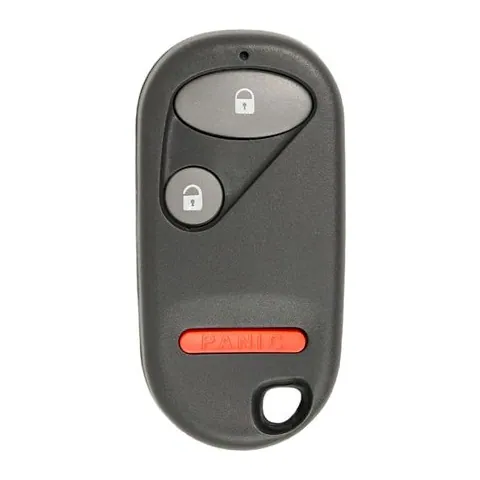
4-button Remote
Find on Amazon- FCC ID
- OUCG8D-344H-A
- OE part #
- 72147-S9A-A01
- Frequency
- 315 MHz
Transponder Key
4 versionsA cut metal key with a chip in the head. No buttons.
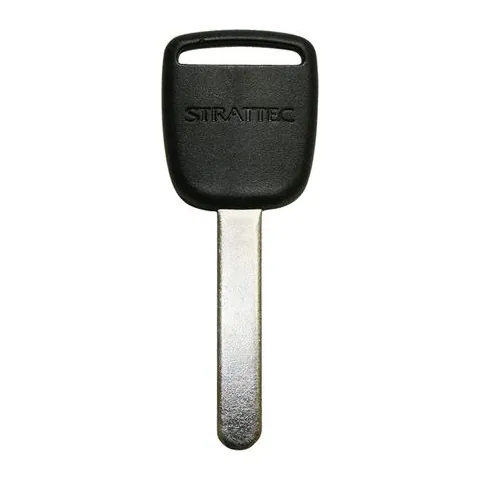
Transponder Key
Find on Amazon- Key blank
- HOND-31
- OE part #
- HO01, HO01-SVC, HO03, HO05, JMA-HO01
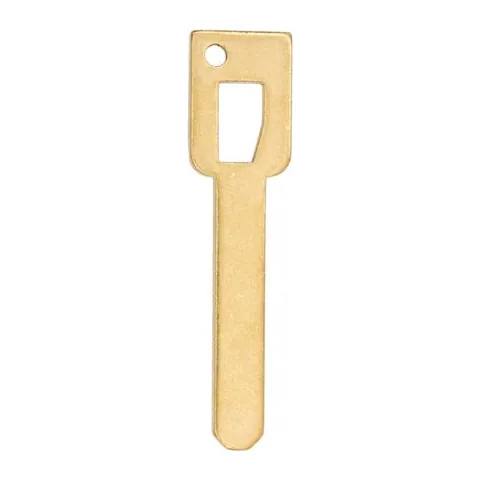
Transponder Key
Find on Amazon- Key blank
- AF00007310
- OE part #
- HO01-SVC
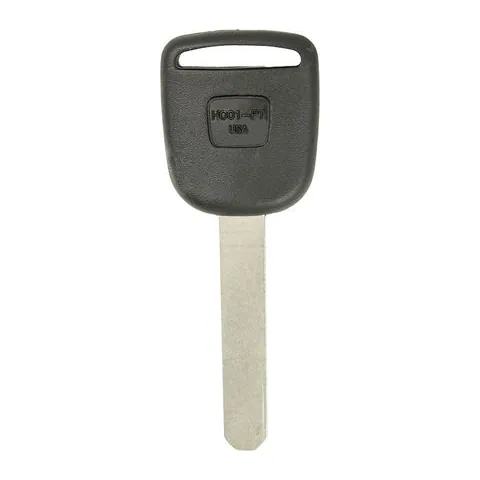
Transponder Key
Find on Amazon- Key blank
- HO01PT5
- OE part #
- 692082, H0V01T5, HO01-PT5, HO01PT5
- Chip
- MEGAMOS ID 13
Transponder Key
Find on Amazon- Key blank
- HO01PT
- OE part #
- 35113-S0X-A01, 35113-S9A-A01, 40207, 692082, 692247, HO01-PT +1 more
- Chip
- MEGAMOS ID 13
Photos show the OEM part for each number listed. Aftermarket replacements sold online are often slightly different in appearance — the FCC ID, not the shape, is what determines whether a fob will work with your car.
2002 Honda CR-V key fob battery
Your 2002 Honda CR-V key fob uses a CR2025 3V lithium coin cell. A fresh one typically lasts 3–5 years.
Find CR2025 batteries on AmazonHow to replace the battery
- 1 Find the seam or small slot on the edge of the remote.
- 2 Twist a coin or small flathead in the slot to split the case open.
- 3 Remove the old coin cell and note the + side.
- 4 Fit the new battery with the + side matching, then close the case.
- 5 Press a button to confirm the LED lights, then test at the car.
Battery tips
- Use a fresh, name-brand 3V lithium cell — bargain cells drain quickly.
- Try not to touch both faces of the new battery; skin oils shorten its life.
- If the remote still doesn't work after a new battery, it may need re-syncing or programming.
We may earn a commission on qualifying purchases made through links on this page, at no extra cost to you. It never affects which product we recommend. Learn more.
Rather hire a pro?
See what it actually costs, broken out by dealer, locksmith, and DIY: