How-to Updated 2026
What Does This Button on My Key Fob Do?
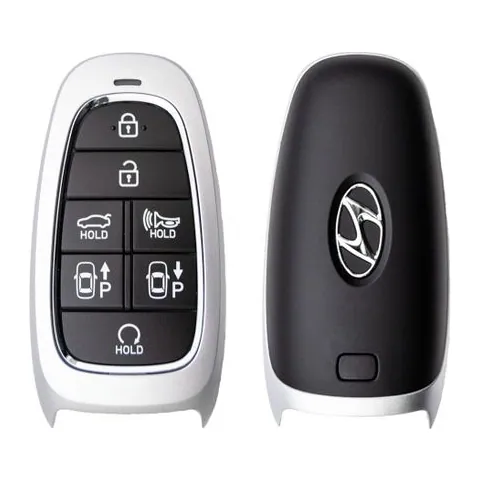
Hold your key fob next to this page and you'll find every button on it. We checked the recorded button layouts of 2,942 key fob remotes in our database and found 54 distinct button labels — from the lock button on nearly every fob down to one-offs like the Corvette's convertible-top button. Here is each one: the icon printed on the button, what it does, and the hold-tricks most owners never discover.
The buttons almost every fob has
Lock appears on 2,922 of the 2,942 remotes in our data, unlock on 2,923, and panic on 2,734. If your fob has exactly three or four buttons, they're almost certainly these plus a trunk release.
Lock
Also appears as: a closed padlock
Locks the doors; on most vehicles a second press confirms with a horn chirp or a flash of the lights. The hidden part is the hold: on many vehicles, pressing and holding lock closes all the windows — and the sunroof — so you can seal up a car you left cracked open. On many Chevrolet and GMC trucks, holding it for about a second folds the side mirrors in.
Unlock
Also appears as: an open padlock
The first press unlocks only the driver's door on most cars — a security feature, not a fault — and a second press within a few seconds unlocks the rest. Its hold trick mirrors the lock button: press unlock, press it again within about ten seconds and keep holding, and on many vehicles every window rolls down together. The fastest way to dump heat out of a parked car in summer.

Panic
Also appears as: a horn or an exclamation mark, usually on a red or orange button
Sounds the horn continuously and flashes the lights to draw attention — to scare someone off in a parking garage, signal for help, or find your car in a huge lot. Press it again to shut it off (unlocking the doors or starting the engine also works); left alone it times out after a couple of minutes.
Trunk release
Also appears as: a sedan with the trunk lid raised, often printed with HOLD or ×2
A quick press usually just unlocks or pops the trunk; on many vehicles you must press and hold for a second or two — or press twice, if it's marked ×2 — before it actually opens. That's deliberate: it stops a fob squeezed in a pocket from leaving your trunk gaping in a parking lot.
Seen on: Toyota Camry , Nissan Altima
Hatch, tailgate, and the other cargo buttons
Sedans get a trunk button, but our data records four more rear-opening buttons, each with its own icon — plus one at the front.
Hatch / power liftgate
Also appears as: an SUV with the rear gate raised; "Hatch Hold" on 396 remotes in our data
Opens the rear hatch on SUVs, wagons, and crossovers. On power liftgates, press-and-hold opens the gate and holding it again typically closes it. On fobs marked HOLD, a quick tap does nothing — the hold is required.
Seen on: Honda Odyssey
Power tailgate
Also appears as: a pickup with the tailgate dropped
On trucks with a power-release tailgate — 2019-and-newer Chevrolet Silverado and GMC Sierra fobs carry it — this button drops the tailgate from your pocket, handy when you're walking up with full hands.
Seen on: Chevrolet Silverado
Rear glass release
Also appears as: a rear window with an up arrow
On SUVs whose rear window flips open separately from the gate, this releases just the glass — so you can drop in a grocery bag without opening the whole hatch. Chevy Tahoe and Suburban fobs (2015–2020) carry it, and mid-2000s Jeep Grand Cherokee and Liberty remotes had their own version.
Rear cargo doors
Also appears as: a van with its back doors marked
Full-size work vans split the job by door: fobs for the Chevrolet Express and GMC Savana carry a dedicated button that unlocks the rear cargo doors while the cab stays locked — so a helper can load the back without getting access to the front.
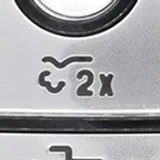
Front trunk (frunk)
Also appears as: a car with the front lid raised
Electric trucks and EVs with front trunks put them on the fob: Ford's F-150 Lightning remote carries a dedicated 2x front-trunk button, and on the Tesla Model S fob — itself shaped like a tiny car — pressing the front of the fob pops the frunk.
Remote start
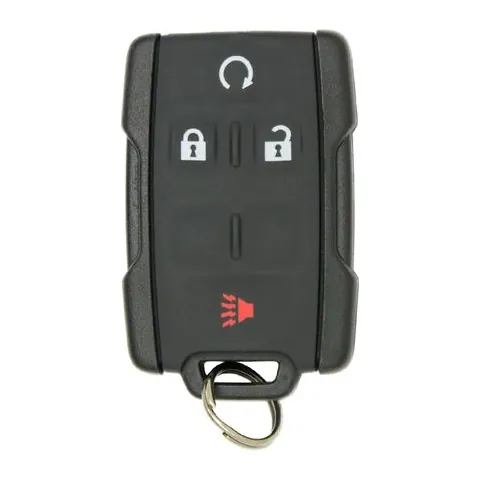

Remote start
Also appears as: a circular arrow, usually with no words at all
Starts the engine from your house so the cabin is warm in January and cool in July. Almost every brand uses a different sequence — most commonly press lock first, then press and hold the circular arrow. BMW does it with three quick presses of the lock button; some newer Toyotas use three lock presses with the third held down. A remote-started car stays locked and won't drive until the key is inside.
Seen on: Chevrolet Colorado
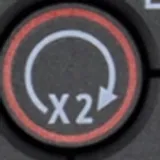
The ×2 marking
Also appears as: ×2 printed beside or under an icon
×2 isn't a separate button — it's an instruction that appears on many GM, Ram, and Chrysler-family fobs: press that button twice to trigger it. A circular arrow with ×2 means double-press for remote start; you'll also see it on trunk, sliding-door, and air-suspension buttons that want a deliberate double-press instead of an accidental tap.
Start / Stop (aftermarket remotes)
Also appears as: separate buttons labeled START and STOP, plus WAKE on some
Add-on remote-start systems ship their own remotes, and those often split the job into dedicated Start and Stop buttons (our data records add-on remotes with Start, Stop, and Wake). Wake rouses a two-way remote's display so it can report the car's status back to you.
Minivan buttons: sliding doors
Left sliding door
Also appears as: a minivan with the side door open, plus a left arrow or ×2
Opens the driver-side power sliding door; press again (or press twice on ×2 fobs) to close it. Our data shows 107 remotes with this button — every minivan brand has a version, from Chrysler and Dodge to Honda, Toyota, Kia, and Hyundai.
Seen on: Dodge Grand Caravan
Right sliding door
Also appears as: the mirror image of the left-door button
Same thing, passenger side. If neither sliding-door button does anything, check the overhead console before blaming the fob — most minivans have a master switch that disables the power doors entirely, usually flipped when kids are riding in back.
EV and plug-in hybrid buttons
Charge port release
Also appears as: an electric plug; labeled "Plug-In" on the Nissan Leaf, "Charge Lid" on the Honda Clarity
Pops the charging-port lid open so you're not hunting for the interior release with a charging cable in your hand. It appears on the Nissan Leaf, Chevrolet Volt, and Honda Clarity fobs in our data — each brand names it differently, but the plug icon is the same idea.
Charge timer override
Also appears as: a clock with a charging bolt
Plug-in hybrids often charge on a schedule to use off-peak electricity. The Mitsubishi Outlander PHEV's fob carries an override button that tells the car to start charging immediately instead of waiting for its scheduled window.

Climate preconditioning
Also appears as: a fan, labeled FAN on the Honda Clarity
Runs the heater or air conditioning while the car is parked and plugged in, so the cabin is comfortable before you get in. On the Clarity: press lock, then hold the FAN button for about three seconds.
Comfort, lights, and show-off buttons
Air suspension (lower for entry)
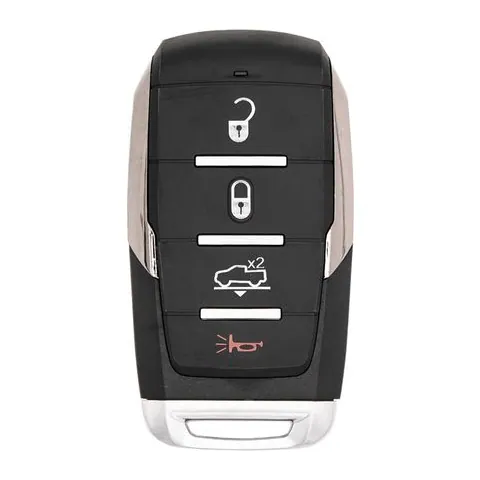
Also appears as: a pickup with up/down arrows or ×2
On air-suspension Ram 1500s (2019 and newer), double-pressing this button lowers the truck to its entry/exit height so it's easier to climb in or load. You don't have to raise it back up — the truck returns to ride height on its own when you drive.
Convertible top
Also appears as: a roadster with the roof arc marked
A dedicated button for the power top, found in our data on Chevrolet Corvette, Cadillac, and Chrysler/Dodge convertible fobs of the 2000s. Most other convertibles skip the separate button — holding unlock or lock operates the roof instead.
Hood release
Also appears as: a car with the front lid open
Sports cars that put luggage up front give the fob a hood button: the mid-engine Corvette's remote marks it with an open-hood icon and X2, and Porsche fobs (911, Boxster, Cayenne of the 2010s) carry separate front- and rear-lid releases the same way — sparing you the lever hunt.
Headlights / approach light
Also appears as: a headlamp with beams; "Approach Light" or "Courtesy Lights" on Volvo fobs
Turns on the exterior lights from a distance to light your walk to the car — Jaguar fobs of the 2000s have a dedicated headlight button, and Volvos of the same era call theirs approach or courtesy lights. Many other cars do this automatically with unlock instead.
Car finder
Also appears as: a car with signal waves
Flashes the lights (and on some cars chirps the horn) to help you find where you parked — without setting off the full panic alarm. Hyundai remotes of the late 2000s carry a dedicated Car Find button; on most other cars, tapping lock twice does the same job.
Fuel door release
Also appears as: a fuel pump
Releases the locking fuel-filler door. Early-2000s Cadillac fobs (DeVille, Eldorado, Seville) carry one — a luxury-car touch from the era of locking gas doors that never spread far.
The buttons that park the car
Park assist — forward
Also appears as: P with an up arrow
Hyundai, Kia, and Genesis's Remote Smart Parking Assist: with the car started remotely, holding this button inches the car forward into (or out of) a tight space while you stand outside it. Our data shows it on 69 remotes — Sonata, Santa Fe, Tucson, Sorento, Genesis G80 and more.
Park assist — backward
Also appears as: P with a down arrow
The other half of the pair: holding it backs the car out the same way. The car handles the steering; you're just the dead-man switch — let go and it stops immediately.
Tesla's Model S fob does its version — Summon — without labeled buttons: hold the center of the car-shaped fob until the hazard lights flash, then press the front or rear of the fob to move the car in or out of a spot.
Aftermarket remotes and mystery buttons
Aux / Option / A / C / Multi
Also appears as: a plain button with a letter or an abstract label
Aftermarket remote-start and alarm remotes carry programmable channel buttons — our data records buttons labeled Aux, Option 1–4, A, C, Multi, and Function. What they do depends entirely on what the installer wired them to: trunk release, a second vehicle, a rear defroster. If you bought the car used, the installer's manual (or a car-audio shop) is the way to find out.
And if your fob has a button with no printing at all: automakers share one fob shell across trims, so a blank button is usually a position that isn't wired up on your configuration — a base trim using the shell of the one with a power liftgate, for example. Eight remotes in our data record a factory "Blank" button.
The parts of the fob that aren't remote buttons
Key blade release
Also appears as: a catch or slider on the side or end of the fob
Not a remote function at all — it releases the hidden mechanical key blade that nearly every fob carries. When the fob battery dies, that blade opens the driver's door the old-fashioned way (the keyhole is sometimes hidden under a cap behind the door handle).
The emergency key works precisely because it's dumb: a plain cut metal blade with no battery and no electronics, so nothing about a dead fob affects it. On most cars it operates only the driver's door — and the keyhole is often hidden under a small plastic cap behind or beside the door handle, pried off with the blade itself. Don't be surprised if the alarm sounds when you open the door this way on some vehicles: the car hasn't detected your fob yet, and it quiets down once you start the engine. If the blade ever goes missing, a locksmith can cut a new one to match your door lock.
What the blade can't do is start a push-button car — there's no ignition cylinder to put it in. Starting still goes through the fob: hold it against the start button or the marked spot on the steering column, and the car reads the passive chip inside, which needs no battery. Fobs with no visible blade at all usually rely on this same backup.
When a button stops working
If one button works and another doesn't, the fob's rubber contact pad is likely worn — a common failure on high-use buttons like unlock. If every button is weak or dead, it's almost always the coin-cell battery, which costs a few dollars and takes minutes to swap; your vehicle's page in our key fob directory lists the exact battery type your fob takes. If a fresh battery doesn't fix it, the fob may have lost its programming — see what locksmiths and dealers charge before assuming you need a whole new remote.
What we recommend

Energizer CR2032 Lithium Coin Batteries (4-pack)
Buttons that work only up close, or only some of the time, usually mean a weak battery. CR2032 is the most common fob size; check the size stamped on the old cell first.
Check price on Amazon
Energizer CR2025 Lithium Coin Batteries (4-pack)
Thinner than a CR2032 and not interchangeable with it. Buy whichever size your fob already takes.
Check price on Amazon
Apple AirTag
A replacement smart fob costs far more than a tracker on the key ring. Needs an iPhone.
Check price on AmazonWe may earn a commission on qualifying purchases made through links on this page, at no extra cost to you. It never affects which product we recommend. Learn more.
Product prices and availability are accurate as of the date/time indicated and are subject to change. Any price and availability information displayed on Amazon.com at the time of purchase will apply to the purchase of this product. Certain content that appears on this site comes from Amazon. This content is provided ‘as is’ and is subject to change or removal at any time.
Frequently asked questions
- Why does my key fob only unlock the driver's door?
- That's a security feature, not a fault. Most vehicles unlock only the driver's door on the first press so the other doors stay locked while you get in alone; pressing unlock a second time within a few seconds unlocks all doors. Many cars let you change this behavior in the settings menu.
- What does ×2 printed on a fob button mean?
- Press the button twice. Manufacturers mark deliberate-action buttons — remote start, trunk, sliding doors, air suspension — with ×2 (or HOLD) so a button mashed accidentally in a pocket doesn't trigger them. A single tap on a ×2 button does nothing by design.
- What is the circular arrow button on my key fob?
- That's remote start. The activation sequence varies by brand — most commonly you press lock first, then press and hold the circular-arrow button; if it's marked ×2, press it twice. Check your owner's manual for your vehicle's exact sequence.
- How do I turn off the panic alarm?
- Press the panic button again — that stops it on nearly every vehicle. Unlocking the doors or starting the engine also silences it. Left alone, the alarm times out on its own after a couple of minutes.
- Why does my key fob have a blank button?
- Automakers share one fob shell across many trims, so a blank (or unresponsive extra) button is usually a position that isn't wired up on your configuration — for instance, a hatch-release position on a trim without the power liftgate. It's normal, not a defect.
- How do I get in my car and start it if my smart key's battery is dead?
- Use the hidden mechanical key blade to get in: press the release catch on the fob, slide the blade out, and unlock the driver's door with it — on many cars the keyhole hides under a small cap behind the door handle. To start the car, hold the dead fob directly against the start button (or the marked spot on the steering column — check your manual for the exact location): the car reads the passive chip inside the fob, which needs no battery, and lets you start normally. Then replace the fob battery; it's a few-dollar coin cell. Full walkthrough: how to get in and start your car with a dead smart key.
- What should I do if a key fob button stops working?
- Start with the battery — a weak coin cell is the most common cause and costs a few dollars to replace. If a fresh battery doesn't help, the button contact may be worn or the fob may need reprogramming, which a locksmith can usually do for less than a dealer.
Related
Sources
- LocksmithRates key fob database — recorded button configurations across 2,942 remotes
- Consumer Reports – Your Car's Key Fob May Have Hidden Features
- Motor1 – Your Car Key Fob Has a Bunch of Tricks You Probably Don't Know
- SlashGear – What Is the Panic Button on Your Car Key Fob For?
- TopSpeed – Hidden Features Your Car's Key Fob Might Have
- i-5 Dodge – How to Adjust the Air Suspension in the Ram 1500
- Motor & Wheels – Honda Clarity & Keys: 12 Questions Answered
- CarandTruckRemotes – Dodge Grand Caravan 7-button remote (liftgate + dual sliding doors)
Specs and prices are compiled from the sources above and current as of the update date. Availability and pricing change — confirm on the retailer page before buying.